

If you want to receive the monthly Rs 3,000 benefit under the BJP government’s Annapurna Bhandar scheme in West Bengal, there are two things you must do before any money reaches your account. First, you need to link your Aadhaar card with your bank account. Second, you need to activate NPCI mapping so the payment can be sent through the Direct Benefit Transfer (DBT) system. Both steps are compulsory — missing even one means the money will not be credited, even if you are already getting payments under the Lakshmir Bhandar scheme.
This guide explains everything clearly, step by step, in simple English.
Annapurna Bhandar DBT Link Process:
Step 1: Link Your Aadhaar with Your Bank Account

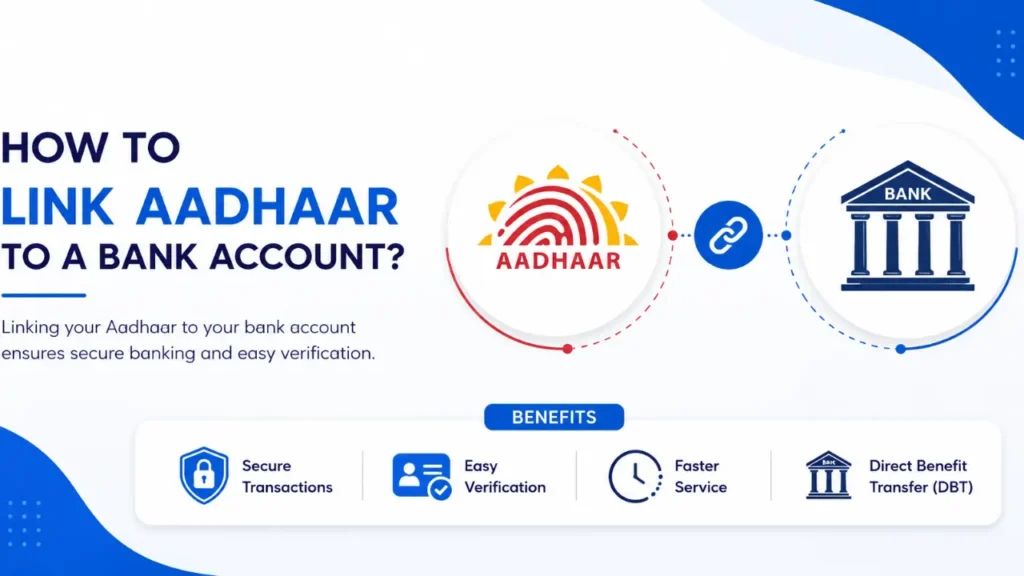
The very first thing you need to do is connect your 12-digit Aadhaar number to the bank account where you want to receive your payments. Banks call this “Aadhaar seeding.” There are two ways to do it.
By Visiting Your Bank Branch (Offline)
This is the easiest option if you do not use internet banking.
- Visit the bank branch where your account is held.
- Ask the staff for the Aadhaar seeding form or DBT activation form.
- Write your Aadhaar number and account details clearly on the form.
- Attach a self-signed photocopy of your Aadhaar card.
- Hand everything to the staff and ask them to activate DBT on your account.
- The bank will update the linkage within a few working days.
Through Net Banking or Mobile App (Online)
If you are comfortable with digital banking, you can do this from home.
- Log in to your bank’s website or mobile app.
- Go to the Services or Profile section and look for “Aadhaar Linking” or “Aadhaar Seeding.” Enter your 12-digit Aadhaar number.
- An OTP will be sent to the mobile number linked to your Aadhaar.
- Enter it to confirm. Submit the request.
- The bank usually processes it within one to three working days.
You can also call your bank’s customer care helpline or use SMS banking if those options are available to you.
Step 2: Check Whether DBT Is Active on Your Account
After your Aadhaar is seeded, you should verify that DBT is actually switched on and correctly linked to your account. Here is how to check.
Using the myAadhaar Portal
- Open myaadhaar.uidai.https://myaadhaar.uidai.gov.in/gov.in in your browser.
- Log in with your Aadhaar number and the OTP sent to your registered mobile.
- Click on “Aadhaar-Bank Seeding Status.”
- The portal will show you which bank account is currently active for DBT.
Other Ways to Check
You can also verify your DBT status through any of these:
- Your bank’s mobile app or net banking portal
- Your bank’s customer care helpline
- A visit to your bank branch
- SMS banking, if your bank supports it
Step 3: Change Your DBT-Linked Bank Account on the NPCI Website
This step is for people whose Aadhaar is linked to one account but who want payments going into a different account. For example, if your Aadhaar is mapped to an ICICI Bank account but you want your Annapurna Bhandar money credited to your Punjab National Bank account, you must update this on the NPCI website. The same applies if two accounts exist at the same bank and the wrong one is currently set for DBT.
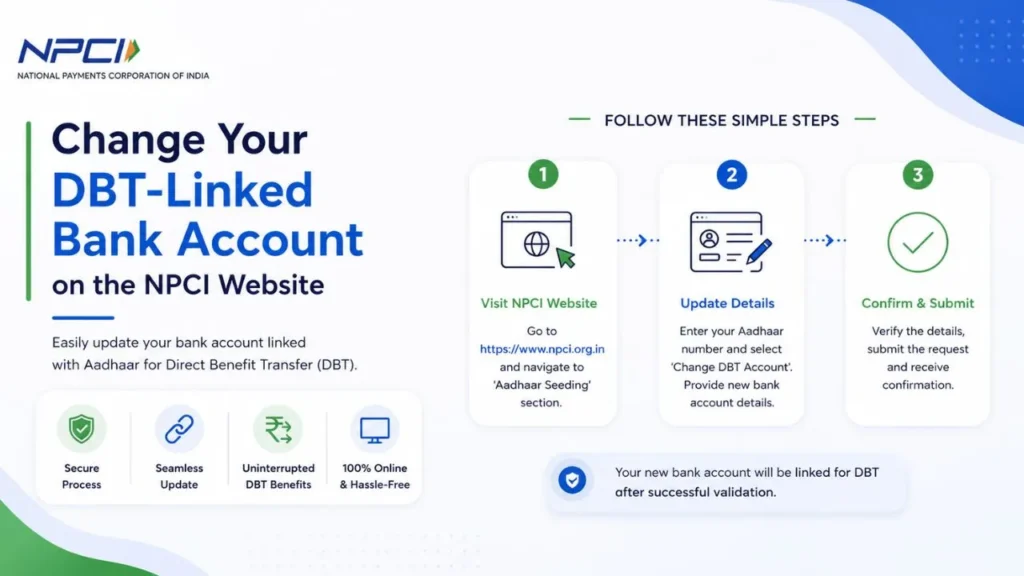
Follow these steps carefully:
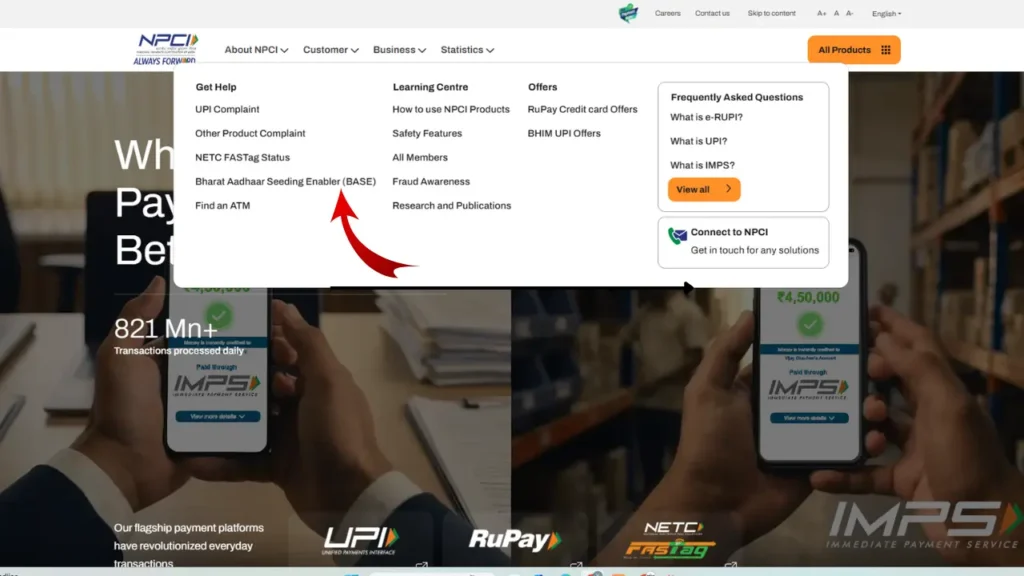
Step 1: Go to the official NPCI website. Click on the “Customer” tab on the homepage and select “Bharat Aadhaar Seeding Enabler.”
Step 2: On the left panel, click “Request for Aadhaar Seeding/Deseeding.”
Step 3: Enter your 12-digit Aadhaar number and select “Request for Aadhaar Seeding.”
Step 4: Choose the bank where you want your benefit amount deposited from now on.
Step 5: Under “Seeding Type,” select the option that matches your situation:
- Switching to a different account at the same bank → choose Movement — Same Bank with Another Account
- Switching to a completely different bank → choose Movement — From One Bank to Other Bank
Step 6: Enter your new account number, confirm it, then enter the OTP sent to your Aadhaar-registered mobile.
Step 7: Tick the terms and conditions box, complete the captcha, and click Submit.
Step 8: After a few working days, confirm the change through the myAadhaar portal, your bank app, customer care, or a branch visit.
What is the monthly payment amount under Annapurna Bhandar?
Eligible beneficiaries receive Rs 3,000 every month, sent directly to their Aadhaar-linked bank account through DBT.
Is Aadhaar linking really mandatory?
Yes, without completing both Aadhaar seeding and NPCI mapping, your payment will not go through — regardless of your eligibility.
My Aadhaar is linked to a different bank. What do I do?
Visit the NPCI website and use the Bharat Aadhaar Seeding Enabler to update the mapped account. Step 3 of this guide covers the full process.
How do I know if DBT is active on my account?
Check via the myAadhaar portal, your bank’s app or website, the bank’s helpline, or by visiting the branch directly.
Can I seed my Aadhaar without going to the bank?
Yes. Your bank’s net banking portal or mobile app lets you do it online using your Aadhaar number and an OTP verification.
Will Lakshmir Bhandar recipients also be affected?
Yes. Even if you currently receive Lakshmir Bhandar payments, you must still complete both steps to receive benefits under Annapurna Bhandar. It is best to do this as soon as possible to avoid any gap in payments.